Java层hook hook方法
Java.perform : 用于在 Java 虚拟机中运行 Hook 代码。
Java.use : 获取目标类的引用。
implementation : hook 方法实现。
Overloaded methods : 对于存在重载的方法,需要使用 .overload() 指定参数类型。
hook构造方法 Java 构造方法的名称固定为 $init,因此需要 hook $init 方法。
获取函数的参数和返回值 可以直接通过 implementation 中的参数获取函数的入参。
调用原始方法,返回值由原始方法的调用结果提供。
修改函数参数和返回值 在 Hook 的方法实现中,直接赋值给参数变量即可改变传入参数。
调用目标方法后,直接更改返回值,并返回新的结果给调用方。
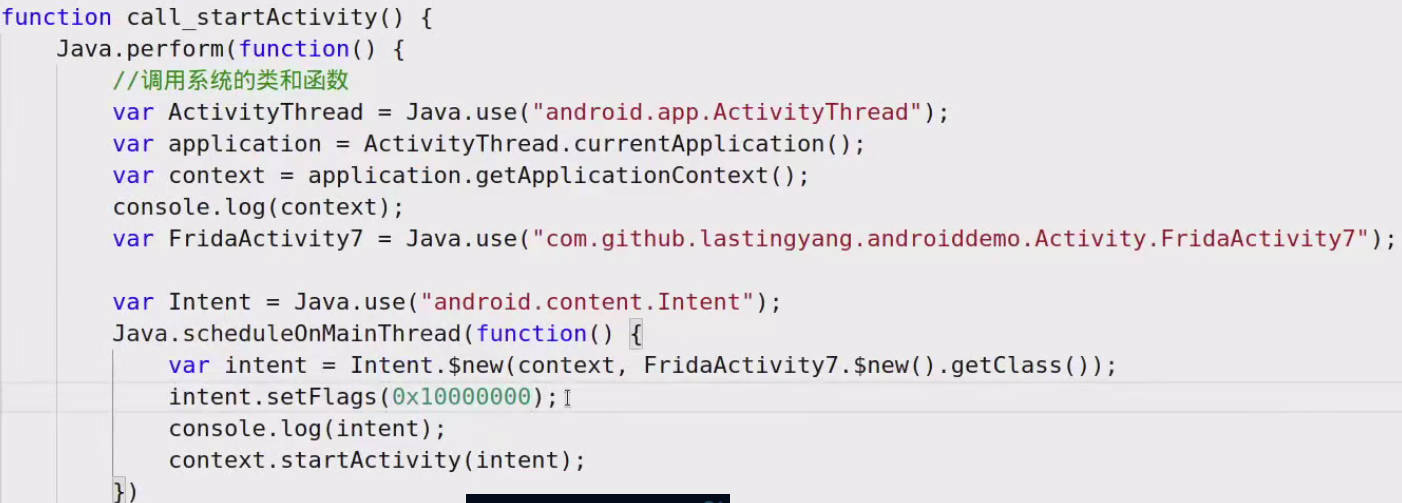
主动调用静态方法和非静态方法 静态方法调用
非静态方法调用
获取静态变量和成员变量 通过.value属性来访问变量的实际值。
静态变量
非静态变量
当变量的名字和类的方法名相同是,需要在变量的名字前面加上一个下划线_加以区分。
hook内部类 外部类与内部类之间通过$符号分隔。
hook匿名类 匿名类没有直接的名称,通常包含外部类名并以$数字结尾。
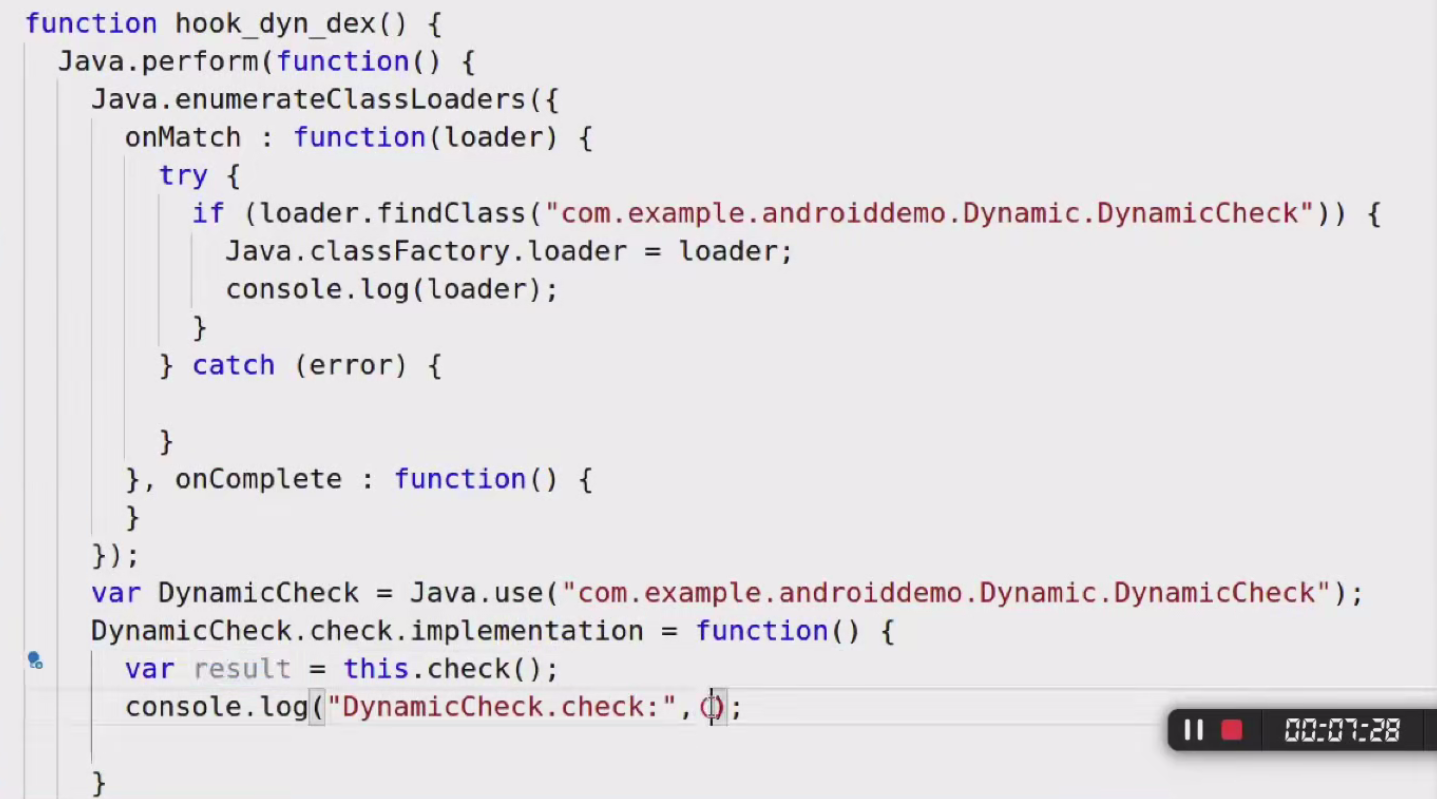
hook动态加载dex 枚举所有类加载器 ClassLoader 的实例,列出每个类加载器加载的类。
判断类加载器是否包含目标类
修改类加载器行为
确保动态加载支持 DexClassLoader 加载),在加载完成后再进行 Hook。
1
2
3
4
5
6
7
8
9
10
11
12
13
14
15
16
17
18
19
20
21
22
23
24
25
26
27
28
29
30
31
32
33
Java .perform (function ( console .log ("[*] Starting enumeration of class loaders..." ); Java .enumerateClassLoaders ({ onMatch : function (loader ) { console .log ("[*] Found ClassLoader: " + loader); try { var targetClass = loader.loadClass ('com.example.target.MyClass' ); console .log ("[*] Found target class in loader: " + loader); Java .perform (function ( var MyClass = Java .use ('com.example.target.MyClass' ); MyClass .myMethod .implementation = function ( console .log ("[*] Hooked myMethod of MyClass!" ); return this .myMethod (); }; }); } catch (e) { console .log ("[!] Target class not found in this loader." ); } }, onComplete : function ( console .log ("[*] Completed enumeration of class loaders." ); } }); });
通过spawn方式启动app 1 frida -U -f <packageName> -l hook.js
hook系统函数
frida主动加载dex 1 2 3 4 5 6 7 8 function hook ( Java .perform (function ( var ddexfile = Java .openClassFile ("/data/local/tmp/ddex.dex" ); ddexfile.load (); var ddex = Java .use ("com.example.demo.ddex" ) console .log ("ddex:" ,ddex) }) }
frida注册接口 1 2 3 4 5 6 7 8 9 10 11 12 13 14 15 16 17 18 19 20 21 22 Java .perform (function ( console .log ("Registering MyCallback implementation..." ); var MyCallbackImpl = Java .registerClass ({ name : 'com.example.MyCallbackImpl' , implements : [Java .use ('com.example.MyCallback' )], methods : { onEvent : function (message ) { console .log ("onEvent called with message: " + message); } } }); console .log ("MyCallback implementation registered!" ); var myObject = Java .use ('com.example.SomeClass' ); myObject.setCallback (MyCallbackImpl .$new()); console .log ("Callback set successfully!" ); });
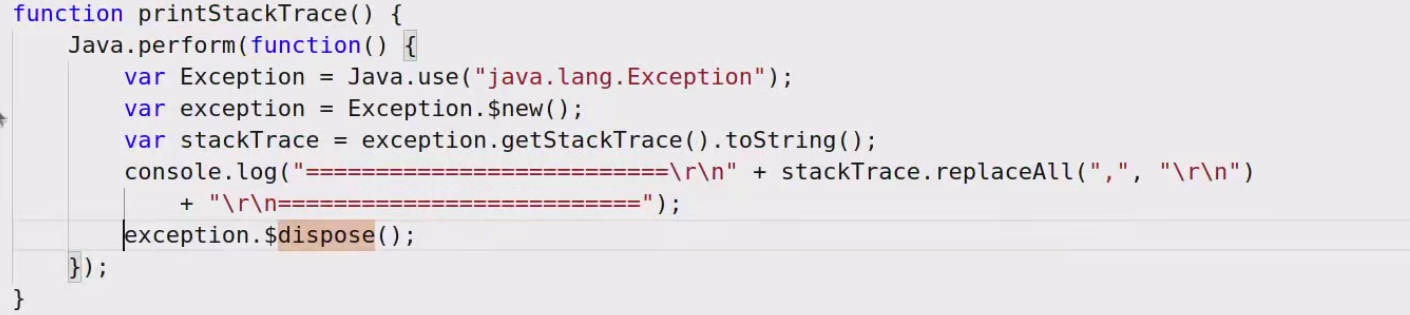
frida打印调用栈
frida复杂参数打印 对于某些复杂参数类型,如数组或者对象,可能打印出来的结果是[Object object]。
Native层hook hook RegisterNatives 通过 JNI 动态注册的函数不会直接导出到符号表中,而是通过 JNIEnv->RegisterNatives 注册到 JVM 中。
hook RegisterNatives 函数的调用可以获取注册信息。
1 2 3 4 5 6 7 8 9 10 11 12 13 14 15 16 17 18 19 20 21 22 23 24 25 26 Interceptor .attach (Module .findExportByName (null , "RegisterNatives" ), { onEnter : function (args ) { var env = args[0 ]; var jclass = args[1 ]; var methods = args[2 ]; var method_count = args[3 ].toInt32 (); console .log ("RegisterNatives called:" ); console .log ("Number of methods: " + method_count); for (var i = 0 ; i < method_count; i++) { var method = methods.add (i * Process .pointerSize * 3 ); var name = method.readPointer ().readUtf8String (); var signature = method.add (Process .pointerSize ).readPointer ().readUtf8String (); var fnPtr = method.add (Process .pointerSize * 2 ).readPointer (); console .log ("Method " + i + ": Name = " + name + ", Signature = " + signature + ", Function Address = " + fnPtr); } }, onLeave : function (retval ) { console .log ("RegisterNatives finished." ); } });
hook Native层函数 hook Native层函数首先定位目标函数所在的动态库及其导出符号地址。
使用Interceptor.attach()对函数进行hook。
打印Native层的调用栈 1 console.log(Thread.backtrace(this.contex,Backtracer.ACCURATE).map(DebugSymbol.fromAddress).join('\n')+'\n')
通过frida读写文件 通过frida调用C函数 打印内存地址的值 1 console.log(hexdump(ptr))